
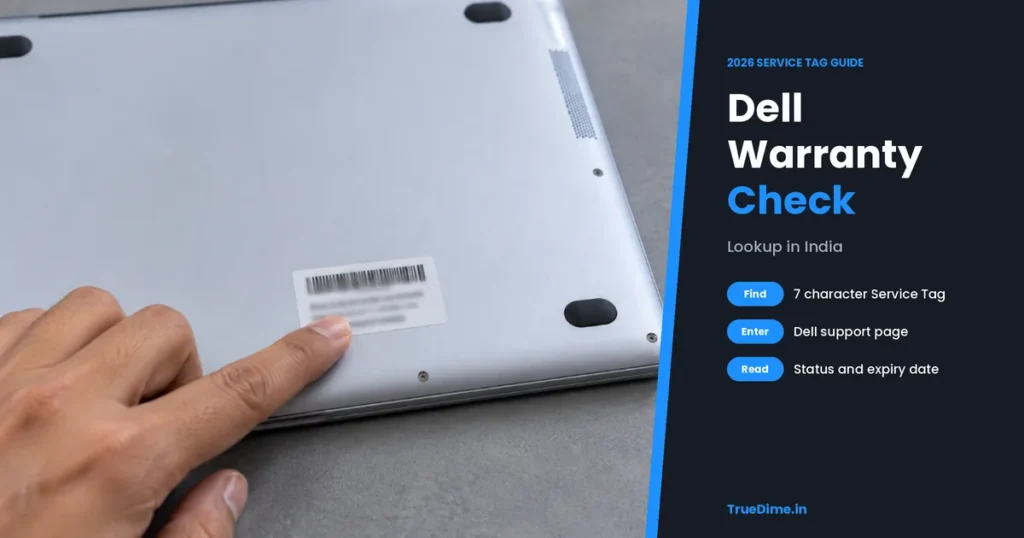
A Dell warranty check only needs one thing: your Service Tag. Enter it on Dell's support page and you will see whether your laptop is covered, when the coverage ends, and which service plan you have.
This guide shows how to do a Dell warranty check in India, where to find the Service Tag on your machine, and what to do if the warranty has expired or the tag is not found.
Quick Answer: The Fastest Dell Warranty Check
- Find your Service Tag. It is a 7 character code on the bottom cover of most Dell laptops.
- Open Dell's warranty page. Use the official Dell warranty status page and enter the tag, or let the page detect it if you are on the Dell machine.
- Read the result. Note the coverage status and the expiry date, and keep your purchase invoice with them.
What Is a Dell Service Tag?
The Service Tag is Dell's identifier for your exact machine. It is a 7 character mix of letters and numbers. The Express Service Code is the numeric version of the same tag, which is easier to key in when you call Dell support.
A model name such as Inspiron, XPS or Latitude only tells you the product family. The warranty record belongs to the Service Tag, so the model name alone will not work for a Dell warranty check.
How to Find Your Dell Service Tag
- Check the label. On most laptops it is on the bottom cover. On some models you may need to look under a flap or the stand.
- Use Dell SupportAssist. If the app is installed, it usually detects the tag for you.
- Use Windows. Open PowerShell and run
Get-CimInstance Win32_BIOS | Select-Object SerialNumber. On a Dell, the serial number shown is the Service Tag. - Use the BIOS. Restart the laptop, press F2 at the Dell logo, and look for Service Tag on the first screen.
- Check your papers. The purchase invoice or the box often carries the tag.
Zoom in on a photo of the label before typing. The letter O and the number 0 look alike, and so do I and 1.
Method 1: Dell Warranty Check on the Dell Support Website
This is the quickest method and works on any phone or computer.
- Open the Dell warranty status page and go to the warranty section.
- Under Identify your product, type your Service Tag. If you are on the Dell machine itself, you can let Dell detect it automatically.
- Press Search or Submit.
- Open the warranty details to see your coverage and expiry date.
Method 2: Check Through Dell SupportAssist
SupportAssist is Dell's app on most Dell laptops. It reads the Service Tag from your machine, so you do not have to type it. Open the app, check the device details, and look for warranty or support information. This is handy when the bottom label has worn off.
Method 3: Ask Dell Support or Visit a Service Center
If the online lookup does not work, call Dell support with your Service Tag or Express Service Code ready. You can also carry the laptop and invoice to a Dell center. Our directory lists Dell service centers in India, with pages for Bengaluru, Chennai, Hyderabad, Mumbai and New Delhi.
What Your Dell Warranty Check Shows
- Coverage status. Active or expired.
- Expiry date. The last day your hardware warranty is valid.
- Service plan. The level of support you bought, such as Basic Support or ProSupport. Plans differ in what they cover and how fast Dell responds.
Take a screenshot of the result. It is useful proof if you raise a claim later.
What to Do If Your Dell Warranty Has Expired or Is Ending Soon
- Extend it. Dell's warranty page also lets you check for renewal and extension options. Do this before the warranty ends.
- Get a quote. Ask a Dell authorised center for the repair price, then compare with a local shop. Our guide on authorised service center vs local repair shop explains the trade-offs.
- Know the typical price. See our laptop motherboard repair cost, laptop screen repair and laptop battery guides before you agree to a quote.
What If Dell Cannot Find Your Service Tag?
- Re-type the tag slowly. Check O and 0, and I and 1.
- Use the Express Service Code. Try the numeric code if the tag fails.
- Check the right device. A monitor or accessory has its own serial number, and it may not match the laptop.
- Try again later. A brand new purchase can take time to appear.
- Visit a service center with your invoice. Staff can check the record on their own system.
Keep Your Invoice for a Dell Claim in India
The online check tells you what Dell has on record. At a service center in India you will usually still be asked for the purchase invoice. Keep a photo and a PDF of the bill, along with the Service Tag. If you are comparing devices before buying, our HP vs Dell laptop guide may help. Not sure how Dell compares with other brands on coverage? See our warranty check guide for all brands.
Frequently Asked Questions (FAQ)
How do I do a Dell warranty check?
Find the 7 character Service Tag on your laptop, enter it on Dell's warranty status page, and open the warranty details to see your status and expiry date.
Can I do a Dell warranty check with the serial number?
On a Dell, the serial number shown in Windows is the Service Tag, so you can use it. Model names such as Inspiron or XPS will not work.
What is the Express Service Code?
It is the numeric version of the Service Tag. Dell support uses it to identify your machine when you call.
Can I check Dell warranty without the invoice?
Yes, the online lookup only needs the Service Tag. You will still need the invoice for a claim at a service center.
Can I extend my Dell warranty?
Dell lists renewal and extension options on its warranty page. Check them before the current warranty ends.